
Rent a self-service kiosk for your restaurant — from £80 a month.
Hardware and software in one monthly figure. Guests place and pay for their own orders, the kiosk is posted to your venue, and you are taking orders within days.
Rental, not purchase. No capital spend, no separate software licence, no hardware to maintain.
One monthly figure for the kiosk and the software. No purchase, no licence fee on top.
- ModelRental — the kiosk stays ours to maintain
- IncludedHardware, software, updates, support
- Installation£0 — not required
- DeliveryPosted to your venue
- TermConfirmed with your quote
- Restaurants
- Cafés & bakeries
- QSR & fast food
- Food halls & courts
- Hotels & leisure
- Canteens & workplace
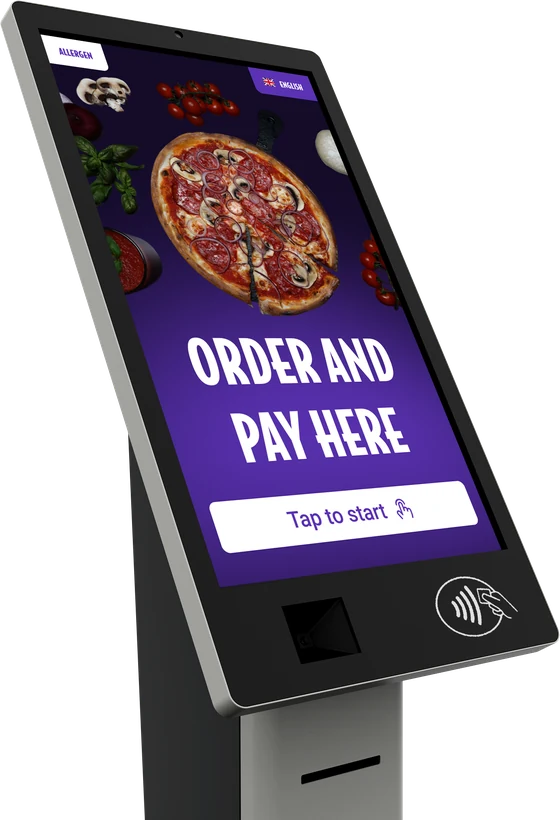
How it works
A guest taps the screen, builds the order, pays by card or wallet and collects. Your team never leaves the pass.
- Hardware and software included
- Rented, never purchased
- Orders land straight in your POS
Hospitality brands already running on Kate One






Our offer
One monthly figure covers the kiosk, the software, the updates and the support. Nothing is bought, nothing is licensed separately and nothing is charged per order.
Rental starts at £80 a month. The exact figure depends on the model, the screen size and how many sites you are fitting out — your sales manager confirms it in writing.
Model, screen size, peripherals, integrations and the number of sites all feed into the quote.
| Model | Rental — the kiosk stays ours to maintain |
|---|---|
| Included | Hardware, software, updates, support |
| Installation | £0 — not required |
| Delivery | Posted to your venue |
| Term | Confirmed with your quote |
These figures are indicative and for marketing purposes only. They are not a formal offer and do not form a contract. A binding quote for your venue, including model, term and delivery, is issued by a Kate One sales manager after a short conversation about your sites.
About the product
A kiosk is only worth the counter space it takes. Here is what this one does once it is standing there.
-
Loyalty without plastic
Guests join and redeem at the screen — points, rewards and Wallet passes handled in the order flow. Nothing to print, nothing for staff to look up at the till.
-
Your brand on the screen
The ordering interface is customised to your brand colours, logo and menu photography, so the kiosk reads as part of the venue rather than a generic terminal.
-
Set up in an afternoon
It arrives by post, your team unboxes it and connects it, and orders start going through. No engineer, no cabling contractor, no fitting date to wait for.
-
Our own hardware and software
Kate One runs on a production line and a development team we own, so quality control runs from assembly through to the software on the screen, with support behind it. Because the machine is rented, that same team keeps it working — repairs and replacements are ours, not yours.
-
Smart upsell at the right moment
The screen can offer a drink, a side or a larger size while the guest is still choosing — without staff having to push anything at the counter.
-
Languages and allergen filters
The menu can be shown in several languages, and allergen and dietary filters sit on the screen so guests can narrow the list for themselves.
Rent the kiosk. Do not buy it.
A bought kiosk is a capital purchase that ages on your balance sheet. A rented one is a line in the monthly costs that we keep working.
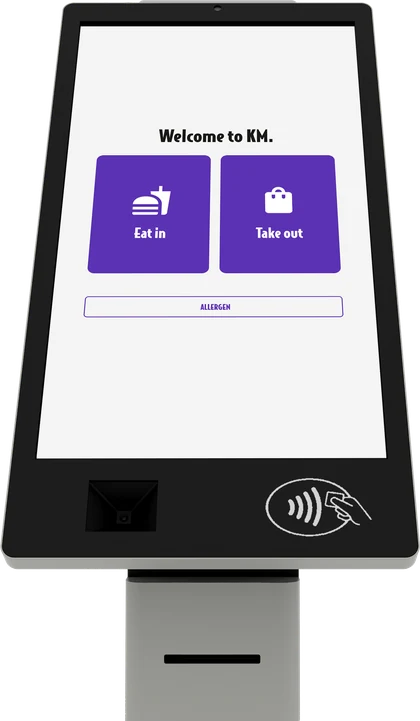
| Buying a kiosk outright | Renting from Kate One | |
|---|---|---|
| Upfront cost | Full hardware cost before the first order | Nothing to buy — the machine comes with the service |
| Approval | Capex sign-off, often a budget cycle away | Operating cost, approved like any other monthly line |
| Hardware faults | Your problem, your repair bill | Covered while you rent |
| Software and updates | Bought separately or licensed on top | Included and updated continuously |
| Ageing hardware | Yours to replace in three to five years | Replaced as the fleet is refreshed |
| Trying it on one site | Full purchase before you know it works | Start with one venue, add sites when it pays |
| Closing or moving a site | You are left with the asset | Rental moves with you |
No capital purchase, no depreciation, no repair bills. Tell us how many sites you are looking at and we will quote the monthly rental.
Get a quoteHow a venue gets started
Three steps, and none of them involve waiting for a contractor.
-
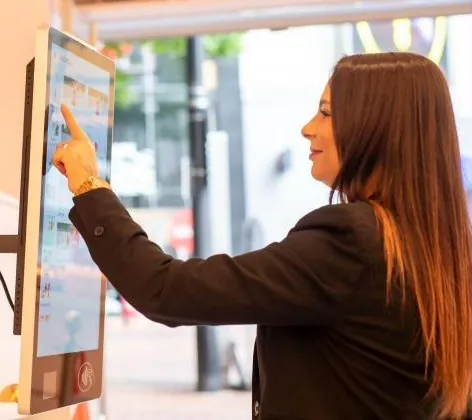
The kiosk is posted to you
It ships by courier or post to the venue address, like any other delivery.
-
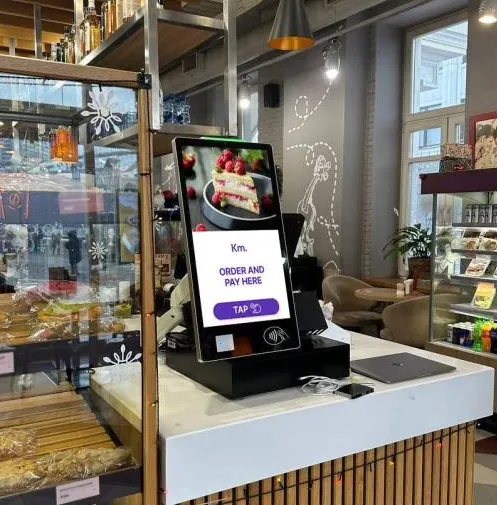
Your team sets it up
Unbox, position, connect. No mounting works, no cabling contractor, no waiting for an installation slot.
-
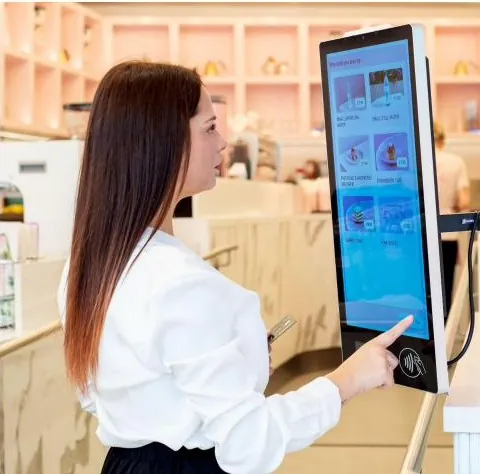
You start taking orders
Guests order and pay at the kiosk without staff involvement, which frees the counter during peak hours.
Why the no-install model matters
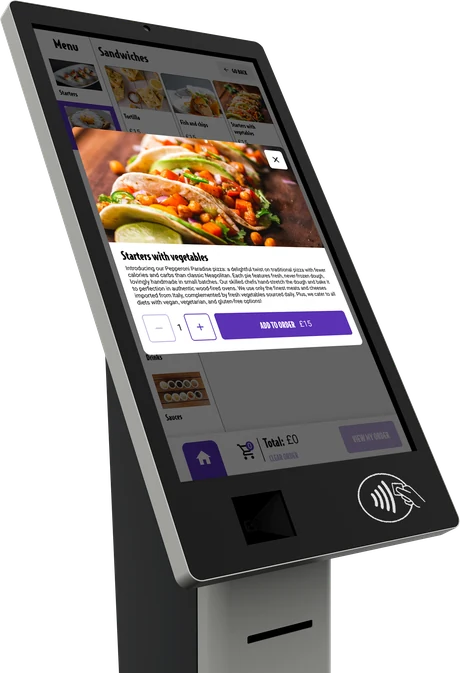
The kiosk arrives as one finished machine: screen, card reader, scanner, printer and stand are already in it. There is no separate hardware list to price up, no third-party terminal to source and no engineer to book. Your own team unpacks it, stands it where it should go and connects it on site.
A single Ethernet cable is enough. The unit supports Power over Ethernet, so the same cable carries power and network — no socket has to be added next to the counter and no electrician is needed to put one there.
-
All in one machine
Screen, card reader, scanner, printer and stand ship together. Nothing else to buy or bolt on.
-
Power over Ethernet
One cable carries power and data, so no new socket and no electrician are needed at the counter.
-
Connected on site by your team
Unbox, position, plug in, sign in. No engineer visit and no fitting date to wait for.
-
Nothing to buy
The kiosk, the software and the updates come with the monthly rental, so there is no capital purchase to sign off.
-
Live in days, not weeks
You are taking orders within days of ordering, because nothing waits on a contractor's calendar.
-
Move it whenever you like
Reconfiguring the floor is your decision alone. The kiosk goes where you put it.
Where it fits
One kiosk changes the shape of a queue. Several of them change the shape of a shift.
-
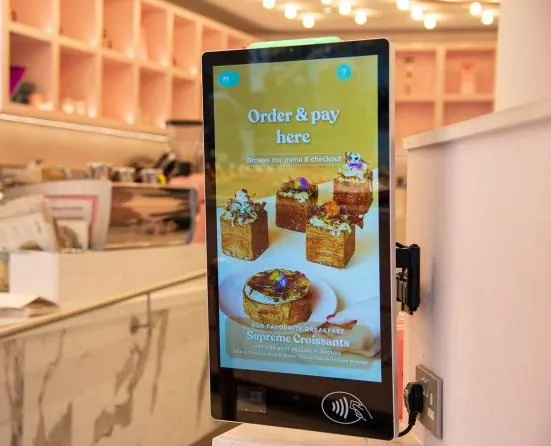
Counter service
Cafés, bakeries and takeaways where the queue forms at one till.
-
Canteens
Staff restaurants with a short, heavy lunch rush.
-
Forecourts and grab-and-go
Kiosks and convenience retail with quick, repeat baskets.
-
Multi-site operators
Adding ordering capacity across sites without adding tills.
Our integrations
The kiosk plugs into the POS, payment and loyalty platforms you already run, so nothing has to be replaced to add a till.
- Elavon
- Deliverect
- Access
- Oracle
- Viva
- Zonal
- 3S POS
- adyen
Running something else? Tell us what is on the counter and we will confirm the route. See all integrations ›
Questions operators ask first
What is a self-service kiosk?
A touchscreen where guests browse the menu, build their order and pay without staff involvement. The order goes straight to the kitchen, so the counter is freed at exactly the moment it is busiest.
How much does a kiosk cost?
Rental starts at £80 a month and covers the hardware, the software, updates and support. The final figure depends on the model, the screen size and the number of sites. There is nothing to buy and no separate licence fee.
Is it rented or bought?
Rented. The machine stays ours to maintain and replace, which is why there is no capital purchase to sign off and no asset to depreciate on your side.
What is included in the monthly figure?
The kiosk itself, the ordering software, updates as they are released and support. Delivery is by post and no installation is required.
Does it work with our POS?
Yes. Kate One integrates with the POS, payment and loyalty platforms venues already run, so orders taken at the kiosk arrive in the same place as orders taken by staff. Tell us what you run and we will confirm the route before you commit.
How long before a site is live?
Days rather than weeks. The kiosk is posted to the venue, and because there is no installation work there is no fitting date to wait for.
Can we brand it?
Yes. Colours, logo and menu photography are set to your brand, and the content can be changed by daypart — breakfast, lunch and evening menus on the same screen.
Can every guest use it?
The interface is built for large touch targets, clear contrast and step-by-step navigation, and the menu can be shown in several languages. Allergen and dietary information is attached to items so guests can filter for themselves.
What about age-restricted items?
Items that need a check can be flagged for staff approval before the order completes, so alcohol and similar lines are handled without taking the whole order off the screen.
Does it run without staff?
The ordering and payment flow does. In practice a member of staff still handles the pass, refunds and age checks, but nobody has to stand at a till taking orders.
We have several sites — does that change anything?
No. Menus and settings are managed centrally and copied between venues, and each site reports separately. Adding a second or a twentieth kiosk is the same conversation as the first.
What if the kiosk breaks?
It is rented, so repairs and replacements are ours. A faulty unit is swapped rather than invoiced.
Counter-top or free-standing?
Both exist. A counter-top model suits a café or bakery with a fixed serving point; a free-standing unit suits a lobby, a food court or anywhere the queue forms away from the counter. The choice changes the rental figure, and the quote reflects it.
Get a quote for your sites
Tell us how many sites you are looking at. We come back with availability, delivery timing and a written quote — no engineer visit to schedule.
- All-in-one rental
- Hardware + software included
- £0 installation
- Live within days
Or write to contact@kateone.com · +44 7914 925378